Kindle alternative
PageBack vs Kindle
Kindle is great for buying books from Amazon. But if you have ebooks from other sources — EPUBs, PDFs, comics, academic papers — sideloading onto Kindle is painful and limited. PageBack is built from the ground up for files you already own.
The key differences
File ownership
Your files stay on your device. Local-first storage — nothing is uploaded without permission.
Books purchased on Kindle are licensed, not owned. Amazon can revoke access.
PageBack for true ownership. Kindle for convenience of purchase.
Format support
EPUB, PDF, MOBI, AZW3, CBZ, CBR — all first-class citizens.
KFX and MOBI natively. EPUB support added recently but limited. No comics.
PageBack reads everything. Kindle is built around its own store.
Sideloading
Drag and drop. Import a file or a whole folder — done in seconds.
Send-to-Kindle email, USB transfer, or the Kindle app. Formatting often breaks.
PageBack makes your own files feel native, not second-class.
Organisation
AI auto-tags genre, themes, series, cover art. Your library organises itself.
Manual collections. Sideloaded books get no metadata — just filenames.
Night and day for sideloaded content.
Comics & PDFs
Guided panel navigation for comics. Paginated view for PDFs. Both with highlights.
PDFs render poorly on e-ink. No comic support.
If you read comics or PDFs, Kindle isn't designed for it.
Platform lock-in
Works in any browser. No account required for local reading. Export any time.
Amazon ecosystem. Books, notes, and highlights tied to your Amazon account.
PageBack keeps you free. Kindle keeps you in Amazon.
Built for your files, not a store
Import anything. PageBack handles the rest.
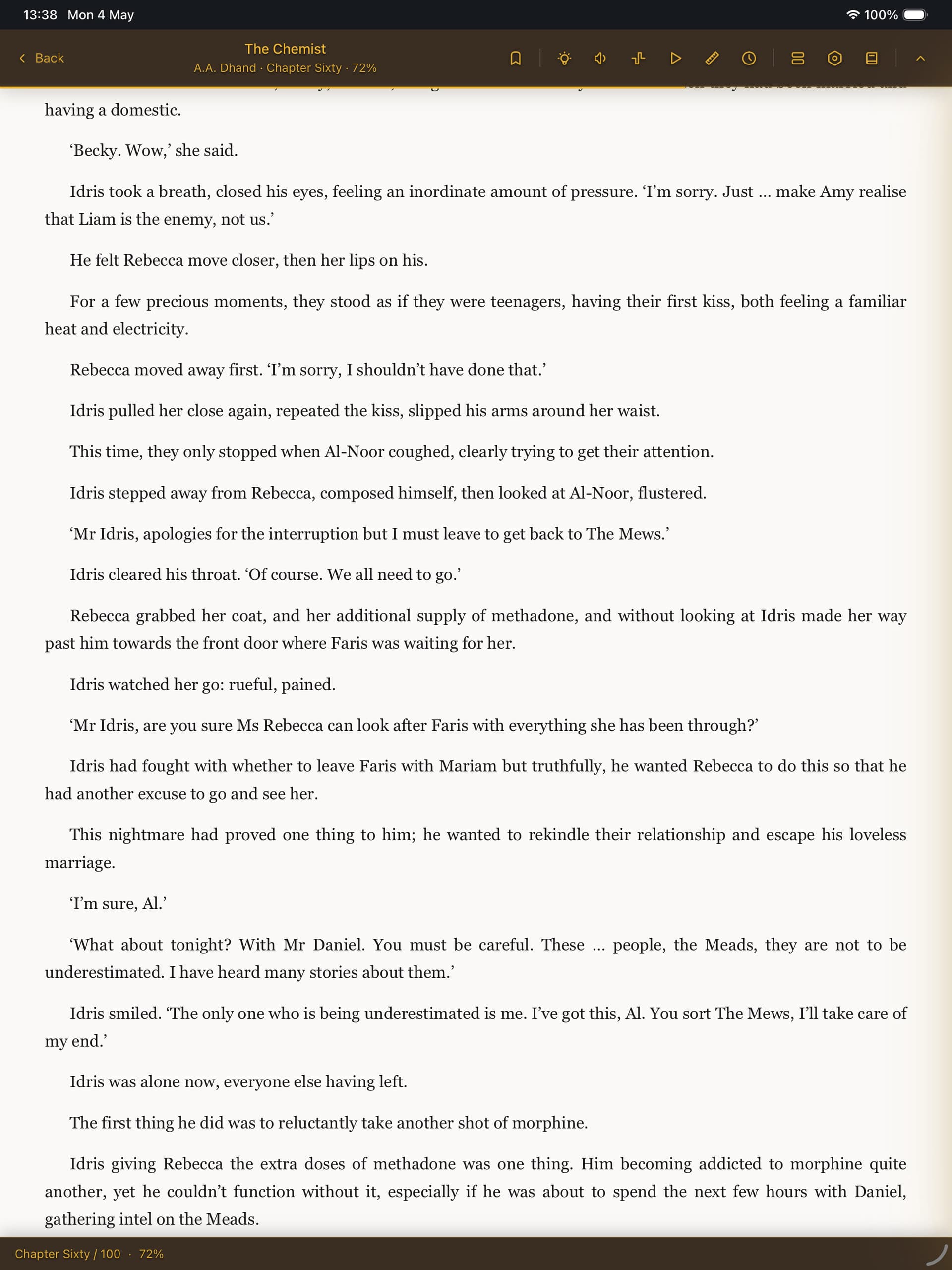
Beautiful reading, any format
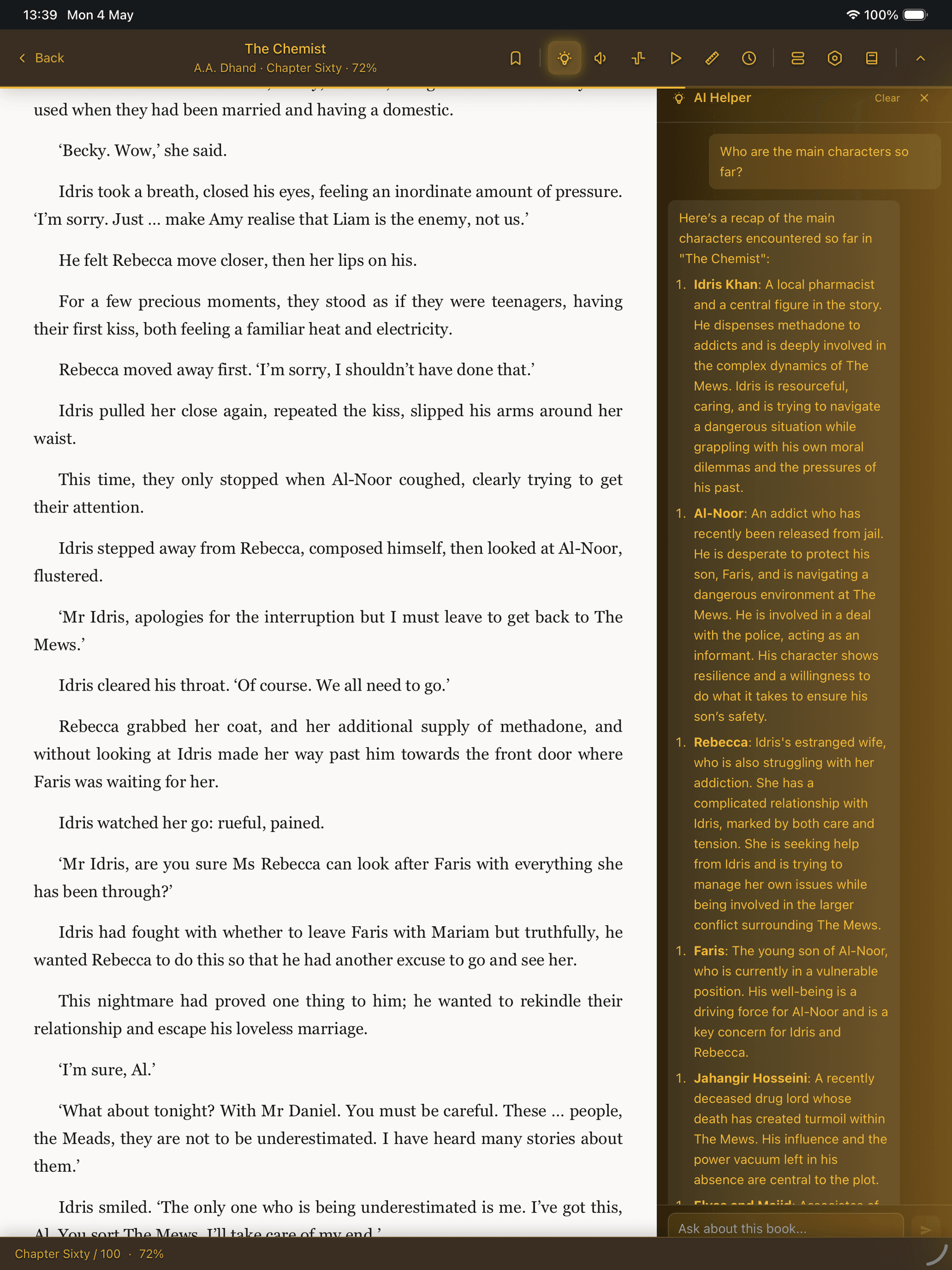
AI reading helper built in
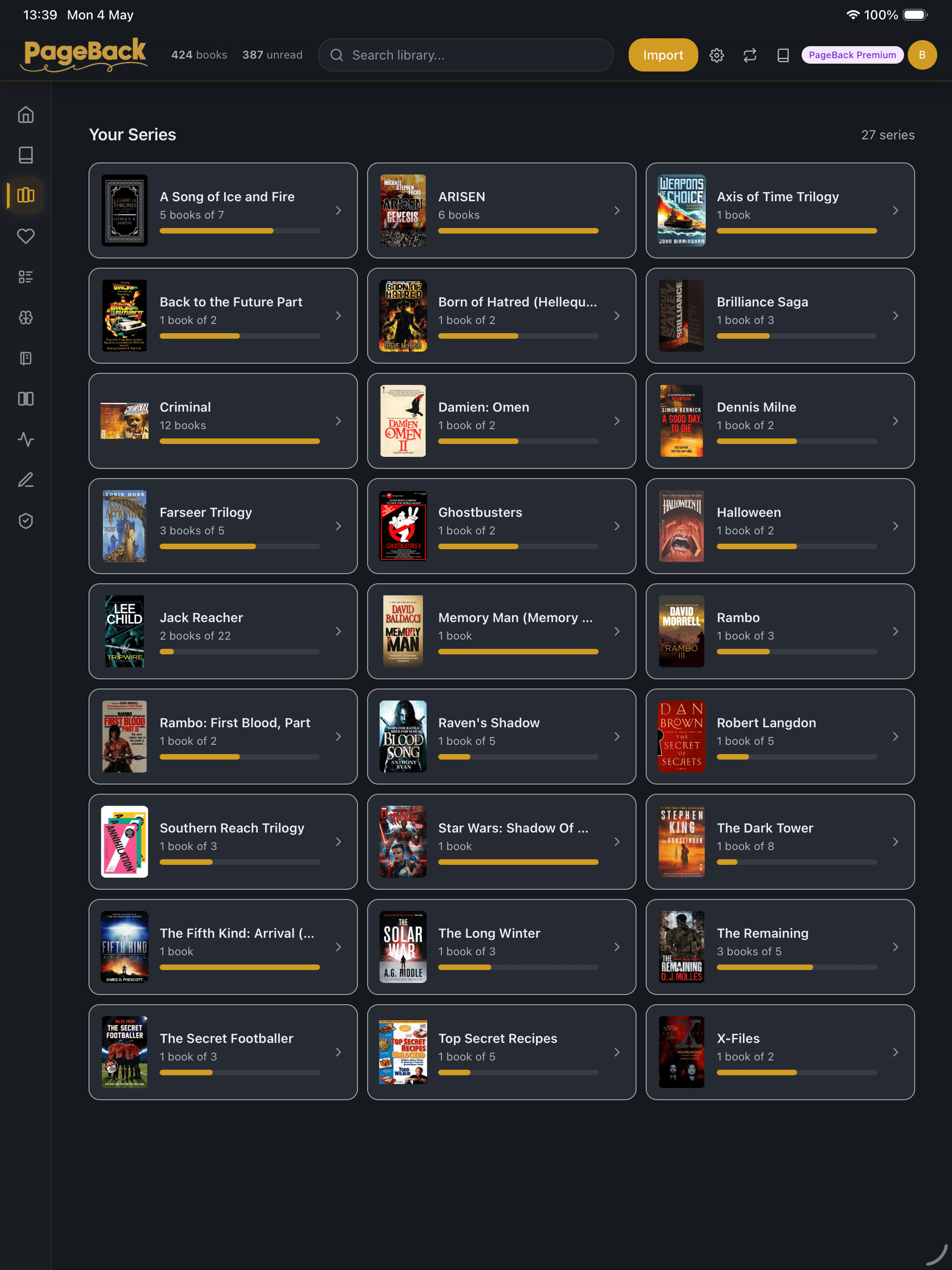
Series tracked automatically
Full feature comparison
| Feature | PageBack | Kindle |
|---|---|---|
| Own your files | Yes — always | Licensed, not owned |
| EPUB support | Full, native | Limited (recent addition) |
| PDF reading | Paginated, highlights | Poor on e-ink |
| Comic support | CBZ, CBR with panel nav | Not supported |
| Sideloading | Drag and drop | Email / USB / app |
| AI organisation | Automatic | None for sideloaded |
| Highlights & notes | All formats, exportable | Amazon books only |
| Cloud sync | Optional (paid plans) | Built in (Amazon) |
| Book store | No store — BYO files | Amazon Kindle Store |
| Platform | Any browser | Kindle devices + apps |
| E-ink support | Browser-based (no e-ink) | Dedicated hardware |
| Reading statistics | Built-in | Basic (estimated time) |
| Series tracking | Automatic | Amazon series only |
| Ambient sounds | Built-in | Not available |
| Dark mode | System-aware | Device-dependent |
| Price | Free / £3.99 / £7.99 | Free app + book purchases |
Kindle is better when...
- →You buy most books from Amazon
- →You want dedicated e-ink hardware
- →You prefer a single integrated ecosystem
- →You don't sideload files from other sources
- →You want Audible audiobook integration
PageBack is better when...
- ✓You have EPUBs, PDFs, or comics from anywhere
- ✓You want your files organised automatically
- ✓You read across phone, tablet, and desktop
- ✓You want highlights and notes across all formats
- ✓You don't want to be locked into Amazon
What about Apple Books?
Apple Books handles EPUBs and PDFs better than Kindle, but it's Apple-only and doesn't organise sideloaded content with metadata or genre tags. PageBack works on every platform and auto-tags everything you import. If you're on Apple devices and only read EPUBs, Apple Books is solid. For mixed formats, multiple platforms, or comics — PageBack is the better fit.
Your files deserve a real reader
Stop sideloading into apps that treat your files as second-class. Import into PageBack and start reading — free, no credit card required.
Start reading for freeFree on one device. Cloud sync from £3.99/month.