Calibre alternative
PageBack vs Calibre
Calibre is the gold standard for ebook management — powerful, free, and deeply configurable. PageBack takes a different approach: a modern web app that organises your library automatically, works on any device, and needs no installation.
The key differences
Organisation
AI classifies genre, themes, series, and cover art automatically. You override when needed.
Manual tagging, custom columns, and scripted metadata downloads. Full control, but it's all on you.
PageBack if you want it done for you. Calibre if you want to do it yourself.
Platform
Any browser — desktop, tablet, phone. Nothing to install. Works on iPad and Android.
Desktop only — Windows, macOS, Linux. No official mobile app.
PageBack for multi-device. Calibre for desktop power-user workflows.
Format conversion
Not supported. PageBack reads files as they are.
Best in class — converts between 25+ formats. Unmatched for Kindle prep.
Calibre wins outright. Use it to convert, then read in PageBack.
Reader experience
Clean, distraction-free reader with highlights, notes, bookmarks, and guided comic panel navigation.
Basic built-in viewer. Most users read in a separate app.
PageBack is built for reading. Calibre is built for managing.
Price
Free (one device). Cloud sync from £3.99/month.
Completely free and open source. No limits.
Calibre wins on price. PageBack's free tier covers most readers.
Ecosystem
No plugins. Focused, opinionated feature set.
Huge plugin library — DRM tools, metadata sources, custom output formats.
Calibre for extensibility. PageBack for simplicity.
See what PageBack looks like
A modern reading interface — not a file manager.
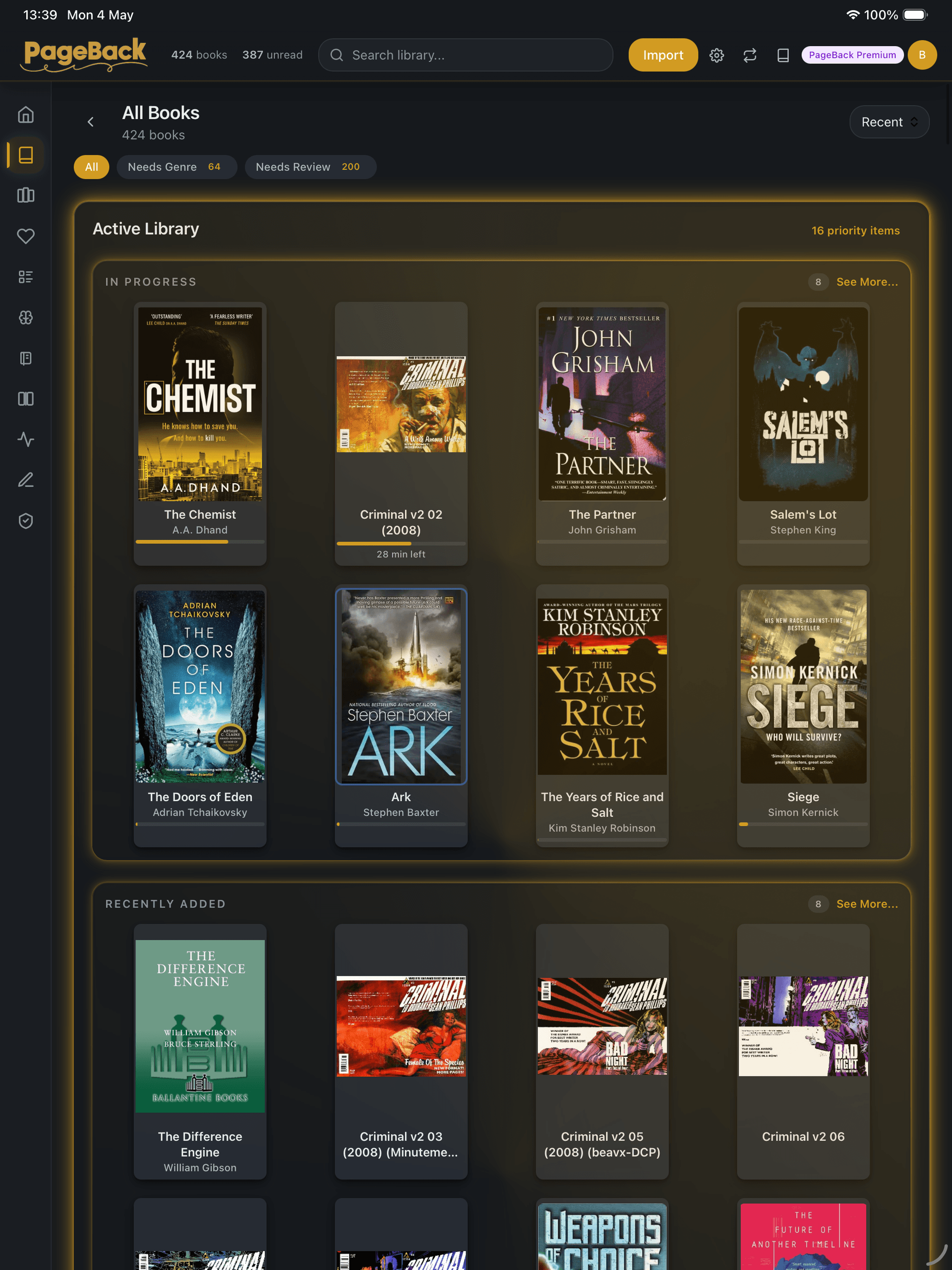
Your library, organised automatically
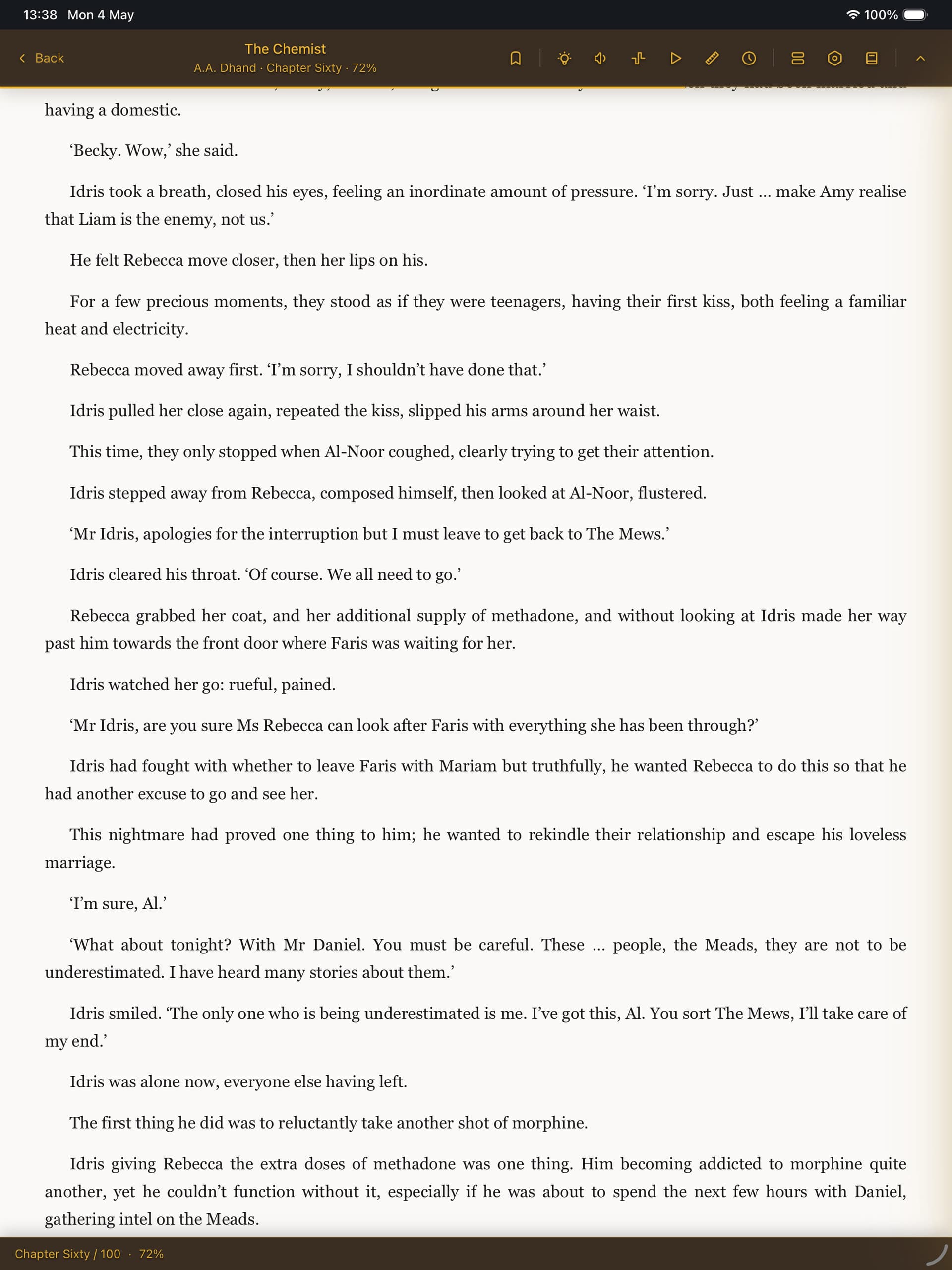
Clean, distraction-free reading
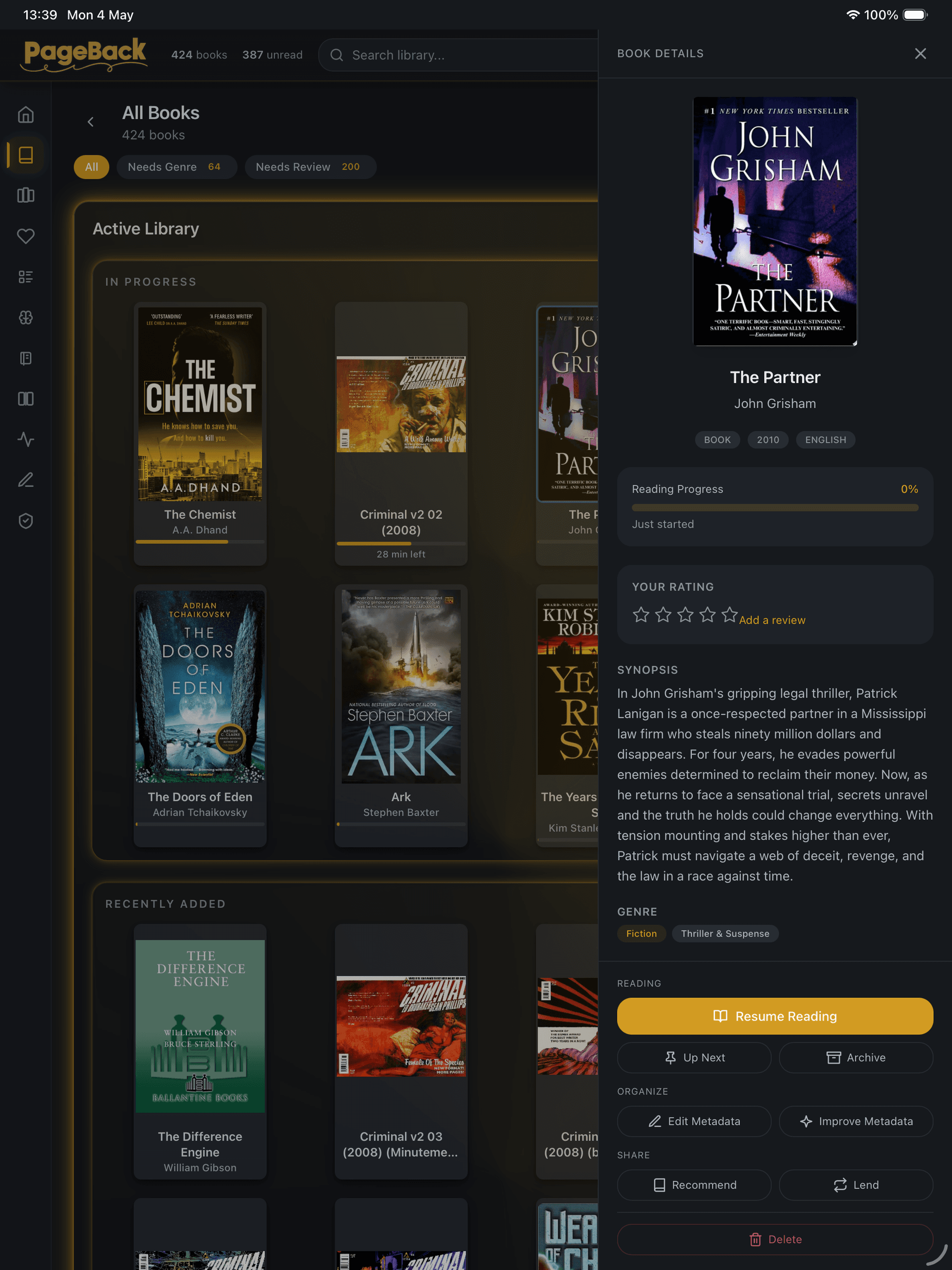
Rich metadata — filled in by AI
Full feature comparison
| Feature | PageBack | Calibre |
|---|---|---|
| Platform | Any browser | Desktop only |
| Installation | None | Installer required |
| Library organisation | AI-automatic | Manual |
| File formats | EPUB, PDF, MOBI, AZW3, CBZ, CBR | 25+ formats |
| Format conversion | — | Excellent |
| Built-in reader | Full-featured | Basic |
| Highlights & notes | All formats + Hub | Limited |
| Cloud sync | Built-in (paid) | DIY server |
| Comic reading | Panel navigation | Basic viewer |
| Metadata editing | AI + manual override | Powerful manual editor |
| Plugin ecosystem | — | Extensive |
| Price | Free / £3.99 / £7.99 | Free (open source) |
| Mobile access | Native browser | No official app |
| Reading statistics | Built-in | — |
| Series tracking | Automatic | Manual / plugin |
| Ambient sounds | Built-in | — |
Choose Calibre when you need...
- →Format conversion (EPUB to MOBI, etc.)
- →Bulk metadata editing across hundreds of books
- →Plugin-based workflows and DRM tools
- →A completely free tool with no limits
- →Maximum control over every detail
Choose PageBack when you want...
- ✓Your library organised automatically by AI
- ✓A clean reading experience across all devices
- ✓Highlights, notes, and bookmarks that sync
- ✓Series tracking and reading statistics built in
- ✓To just drop files in and start reading
Can I use both?
Absolutely. Many readers use Calibre as their conversion powerhouse on desktop, then import the finished files into PageBack for the actual reading experience across devices. The two tools complement each other well.
Try PageBack free
Import your first book in under a minute. Free on one device, no credit card required.
Start reading for freeFree on one device. Cloud sync from £3.99/month.